
Germanjet SSI Sensor Master: Modules and Bit-Banged Reads
SSI has a reputation as the interface with no protocol: no node address, no stack, no configuration. What it saves is the protocol, not the implementation — you supply the clock, you assemble the bits, you keep the gap between frames. A ready-made SSI module hides all of that; a custom board puts all six steps back in your hands.
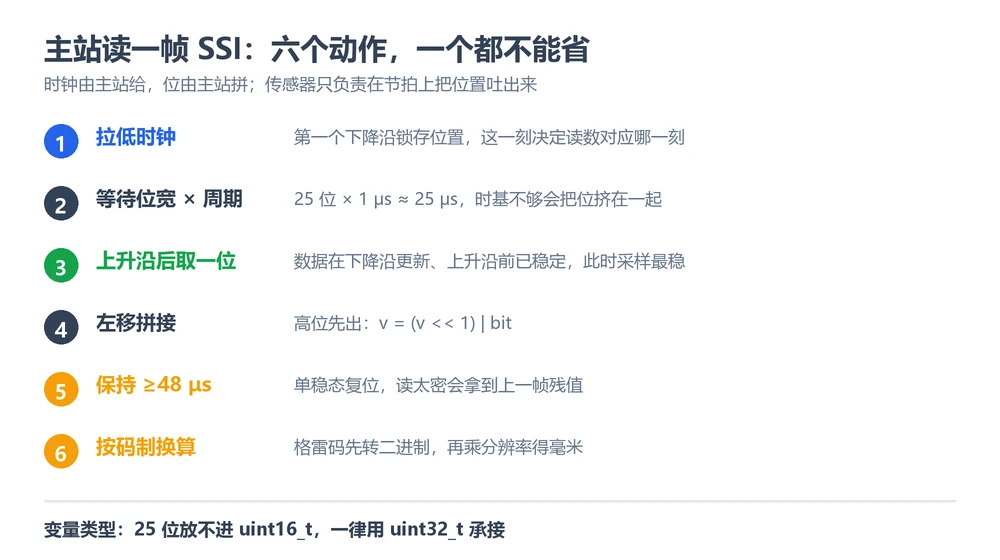
Four parameters on the master side
Whether the master is a PLC module or a microcontroller, there are four numbers to set — and all four come from the order code and the cable length, not from trial and error.
| Parameter | Where the value comes from | What a wrong setting looks like |
|---|---|---|
| Bit width | Order code data-length field: 1 = 25 bits, 2 = 24 | One short halves the reading, one extra doubles it |
| Code format | Order code code-type field: B = binary, G = gray | Sawtooth that folds back, not monotonic |
| Clock rate | From the cable-length table; up to 1000 kBd under 3 m | Occasional large jumps, bit errors |
| Frame gap | At least 48 µs of monoflop time | Occasional whole-frame errors, previous frame's tail |
Reading the order code field by field is in SSI frame structure; judging it on a scope is in debugging SSI. This article is the implementation side: what to fill in, and what to write.
PLC side: filling in the module
- Pick a 32-bit data type.25 bits already exceeds a 16-bit word. If the module or the data area is configured for 16 bits, the reading is truncated — in the watch table it shows up as "the number stops increasing halfway through the stroke".
- The code-format option has to match the order.Most modules offer Gray or Binary. Getting it wrong raises no error, it just reads wrong forever. The discriminator is the curve: fold-back means format, a constant offset means zero point.
- The clock rate is configurable — do not leave it at maximum.Running 1000 kBd over more than 50 m is a fixed source of intermittent jumps.
- The scan period has to fit one frame.A read is clock burst plus monoflop: 25 bits at 1000 kBd is about 25 µs, plus 48 µs, so at least 73 µs per frame. Set the scan faster than that and the module either drops frames or raises errors.
Microcontroller side: bit-banging a frame
Without an SSI peripheral, two ordinary GPIOs will do — the whole job is putting the sample point in the right place. Data updates after the falling edge and is stable before the rising edge, so sample just after the rising edge.
uint32_t ssi_read_frame(int bits){     // bits is 24 or 25, matching the order
    uint32_t v = 0;
    clock_low();                       // first falling edge: the sensor latches
    delay_ns(T_BIT / 2);
    for (int i = 0; i < bits; i++) {
        clock_high();                  // rising edge: data is stable
        delay_ns(T_BIT / 2);
        v = (v << 1) | data_read();    // MSB first, shift and or
        clock_low();
        delay_ns(T_BIT / 2);
    }
    idle_delay_us(50);                 // monoflop >= 48 us before the next read
    return v;
}
Three things to hold on to:
- Hold it in uint32_t.25 bits do not fit in uint16_t; a 16-bit variable silently truncates the high bits, and the symptom is identical to "bit width set too small" — which sends people looking in the wrong place.
- Sample after the rising edge.Sampling on the falling edge takes the bit before it updates, shifting the whole frame by one — the reading is roughly right but always off by a fixed amount.
- Do not drop the frame gap."Faster in the loop is better" is wrong here. The 48 µs is the interface reset time; squeeze it and frames fail intermittently.
Time budget: how long a frame takes, how fast you can poll
- The clock burst: bits × bit time. 25 bits at 1000 kBd (1 µs per bit) is about 25 µs.
- Monoflop: at least 48 µs.
- Total: about 73 µs, so roughly 13.7 kHz theoretical.
The real ceiling is usually lower. The sensor's own update rate falls with stroke — 2.3 kHz at 1000 mm, one update every 430 µs. Polling at 13 kHz only returns the same frame repeatedly and burns interrupts. Set the read period to the larger of the update period and 73 µs, then leave margin. The update-rate table is in SSI frame structure.
Multiply the budget across axes
One axis at 73 µs looks like 584 µs for eight. Each axis has its own clock and data pair, so parallel reads are possible in principle, but two things limit it:
- Channel count on the master.PLC SSI modules are sold per channel, so with enough channels the reads run in parallel. On a microcontroller with bit-banging, multiple axes either poll in turn or go through shift registers or a peripheral with enough channels.
- CPU time.Bit-banging holds the CPU for about 73 µs per frame. Eight axes polled in turn spend tens of milliseconds per second just assembling frames, which matters on a tight control cycle.
The practical answer: with enough channels, let the module read in parallel; with GPIO, slow the interval to what control actually needs — 10 ms rather than the sensor's fastest rate. And once the axis count and the harness both grow, it is worth comparing against a bus, see choosing a bus from the controller.
How it differs from a CANopen master
Both are "write your own master", but the difficulty sits elsewhere. SSI is about timing and bit assembly — no state machine, no object dictionary. CANopen is about the state machine, command bytes and byte order, see Germanjet CANopen master implementation. SSI also consumes one clock and data pair per axis, so past a certain axis count the harness costs more than a bus — an account to settle at selection time, see the eight output types compared.
In one line
An SSI master does three things: sends the clock right, assembles the bits right, leaves the gap long enough. Skip any one of them and the reading is merely plausible.
Frequently Asked Questions
Q: Can a microcontroller without an SSI peripheral read these sensors
Yes. Two GPIOs, one driving the clock and one reading data, with the timing bit-banged. Three rules: sample after the rising edge, hold the value in uint32_t, and leave at least 48 µs between frames. Bit-banging costs CPU, so for many axes a peripheral or shift-register front end is the better route.
Q: What happens if 25-bit data is stored in a 16-bit variable
The high bits are silently truncated and the value is wrong — with the same symptom as a master configured for too few bits: the reading is half, or it sticks at a number. Check the variable type before the configuration; it saves a lot of time.
Q: The PLC reading stops increasing halfway through the stroke
Almost always a 16-bit data type. 25-bit data exceeds a 16-bit word, so it cannot grow past a certain point. Change the module's input area to a 32-bit integer; the sensor does not need touching.
Q: How long is a frame and how fast can I poll
25 bits at 1000 kBd is about 25 µs of clocks, plus 48 µs monoflop, so 73 µs minimum — roughly 13.7 kHz theoretical. The sensor updates more slowly (about 2.3 kHz at 1000 mm), so polling at the theoretical rate only reads duplicates. Set the scan to the update period.
Related Products
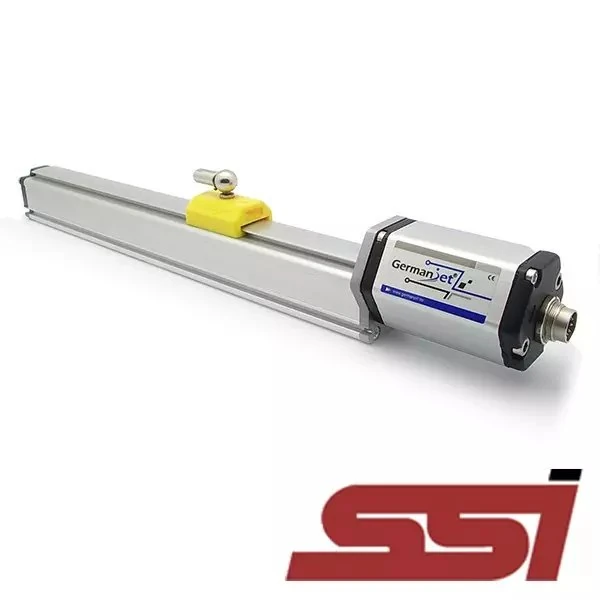
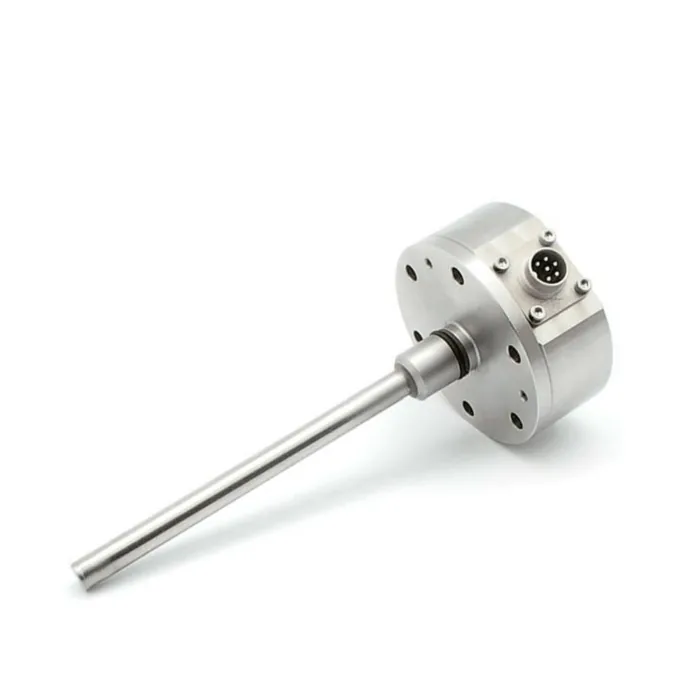


Whatever the question above, it comes back to the same device.magnetostrictive displacement sensorThe product range lists every series by stroke, mounting style and output interface, which is the quickest way into a selection.
← Back to News