
SSI Frame Structure: Clock, Bit Width and Gray Code
An SSI sensor uses four signal wires: one differential pair for the clock, one for the data. Most engineers get a reading on the first try and conclude there is nothing to it — until the stroke changes, or the cable grows by twenty metres, and the numbers start to wander. Reading data and reading it correctly turn out to be two different things.
There are only three settings: data length, code format and clock frequency. Earlier articles cover how to set them and how to find them when they are wrong. This one goes a level deeper into a single question: when the master sends that string of clocks, which bits does it actually take out of the sensor, and what does each one mean? Once that is clear, the bit width and the gray code stop being numbers to memorise.
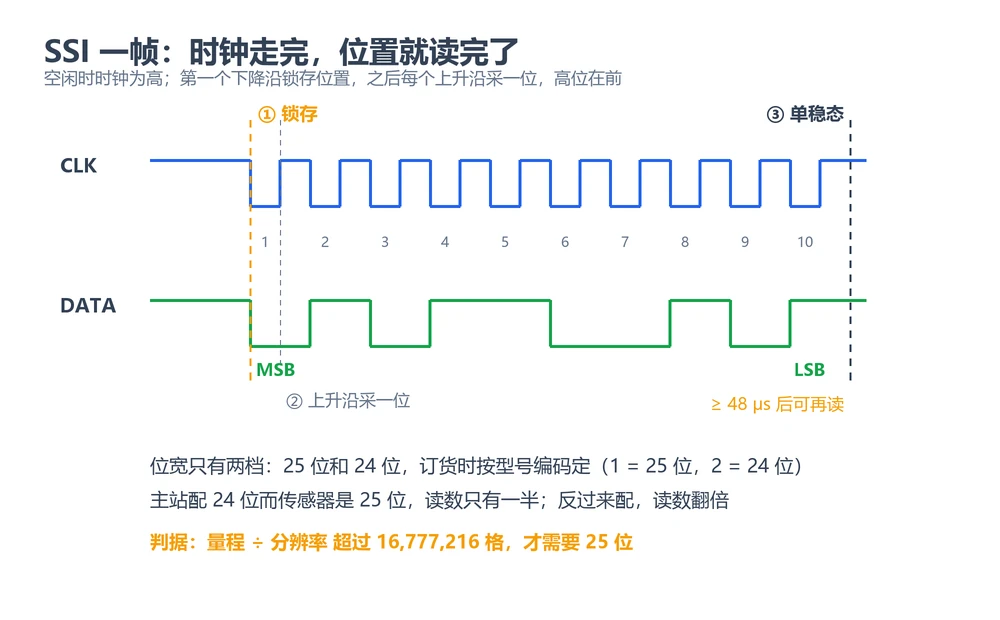
Four steps, each with one hard rule
SSI is point-to-point and one-directional: the master supplies the clock, the sensor returns the data. No address, no arbitration, no protocol stack — and because it is that simple, every boundary condition is strict.
- Idle.The clock line stays high. The sensor keeps updating its internal position value, but whatever sits on the data line is meaningless.
- Latch.The master sends the first falling edge and the sensor copies the current position into its shift register. From that instant the value is frozen.
- Shift out.The master keeps clocking and the sensor emits one bit per clock, most significant bit first. The number of clocks is the number of bits the master buys; clock more and you read more.
- Reset.After the clock burst stops, a monoflop interval must elapse before the interface returns to idle and accepts the next read. On the 192 this is a minimum of 48 µs.
The second rule is the one people skip, and it matters: the reading corresponds to the position at the instant the read started, not at the instant the clock burst ended.The longer the burst, the bigger that gap. On a fast section — injection transfer, press bottom dead centre — tens of microseconds is a fraction of a millimetre. So more bits is not automatically better: the longer you read, the earlier the position you are reading.
Two bit widths only: 25 or 24
SSI is synchronous serial: the master clocks out as many bits as it asks for, which sounds like a free setting. In the product it is not. A 192 ships set to 25 or 24 bits, fixed by the order code — 1 means 25 bits, 2 means 24. The master has to match what was ordered; one bit either way and the reading is wrong.
What each width can hold is simple arithmetic:
| Width | Steps available | Typical use |
|---|---|---|
| 24 bit | 16,777,216 (2²⁴) | Ordinary stroke with ordinary resolution — enough in most cases |
| 25 bit | 33,554,432 (2²⁵) | Only when stroke ÷ resolution exceeds 16,777,216 |
To decide, work out stroke ÷ resolution and see where it lands:
| Stroke | Resolution | Steps | Fits in 24 bit |
|---|---|---|---|
| 300 mm | 5 µm | 60,000 | Yes |
| 1000 mm | 10 µm | 100,000 | Yes |
| 2000 mm | 1 µm | 2,000,000 | Yes |
| 7600 mm | 1 µm | 7,600,000 | Yes |
Even 7600 mm at 1 µm uses less than half of the 24-bit range, so ordinary orders are 24 bit and 25 bit is there for longer strokes paired with finer resolution. This is not a decision to guess at: state the stroke and the resolution and let the factory work it out.
Getting the width wrong looks different from a width that is simply too small:
- Master set to 24, sensor built as 25.One clock short, the least significant bit is dropped and the reading comes out at half the true value. That half is very steady and gets blamed on a wrong stroke or resolution.
- Master set to 25, sensor built as 24.One clock too many, the extra bit is padding, so the value doubles with a zero fill — or the tail turns unstable.
Which is why the order is always width first, code format second, clock frequency last. With the width wrong, the other two cannot be made right.
What the order code tells the master
Every position in the 192 order code corresponds to an option. Three of them have to match the master configuration: data length, code type and resolution. The other two, function and ratio direction, set behaviour rather than communication.
| Field | Value | Meaning |
|---|---|---|
| Data length | 1 / 2 | 1 = 25 bit, 2 = 24 bit |
| Code type | B / G | B = binary, G = gray |
| Resolution | 1 / 2 / 3 / 4 / 5 / 6 / 8 | In order: 5 / 10 / 50 / 100 / 20 / 2 / 1 µm |
| Function | 1 | Standard |
| Ratio direction | 00 / 01 | 00 = forward, 01 = reverse |
The resolution digits are not in sequence: 1 is 5 µm, 2 is 10 µm, 3 is 50 µm, 4 is 100 µm, 5 is 20 µm, 6 is 2 µm, 8 is 1 µm, and there is no 7. Check the code against the table rather than assuming a digit means finer; one wrong character is a proportional error across the whole stroke.
Ratio direction is the field most often overlooked. It sets which way the number grows: forward means the value increases as the magnet moves away from the electronics head, reverse means it increases as the magnet approaches. It is fixed at order time and is a different thing from a direction invert in the controller — order 01 and the master has to interpret it reversed; to change it on site you can only flip it once in the controller.
Gray code: neighbouring values differ by one bit
Position changes continuously. The sensor counts steps internally but outputs them in either binary or gray code.
Binary has a problem at carry boundaries. Going from 127 to 128 flips seven bits at once. Those seven bits do not arrive simultaneously — line-to-line delay differences and edge jitter mean the master can sample the transition as 255 or as 0, at a moment when the true change is one step. A single-step movement becomes a jump of hundreds of steps.
Gray code encodes consecutive values so that only one bit changes, including across a carry. The worst case is one step of error. That is exactly why position measurement uses it.
The price is that the master must convert — what arrives is not the number itself:
// Gray to binary: XOR together all shifted copies
uint32_t gray_to_bin(uint32_t g) {
    uint32_t b = 0;
    for (; g; g >>= 1) b ^= g;
    return b;
}

// Binary to gray
uint32_t bin_to_gray(uint32_t b) { return b ^ (b >> 1); }
A wrong format has a clear signature: the curve is not monotonic, it folds back. Read as binary, the bit pattern of two adjacent steps maps to numbers that jump, so a position-versus-time plot comes out as a sawtooth. That is different from a uniform offset, which is a zero-point problem, not a format problem.
The 192 is supplied in the format specified on the order; both are supported. The master's format setting has to be re-confirmed whenever a sensor is replaced — like the bit width, it does not follow automatically.
Clock frequency, cable length and update rate, read together
The clock cannot run at whatever the master feels like. It is squeezed from two sides: how long the cable is, and how often the sensor itself updates.
Cable length sets the ceiling. Signals propagate along the cable and edges are dulled by capacitance, so the longer the run the lower the permitted clock. The 192 and the 162 share the same numbers:
| Cable length | Maximum data rate |
|---|---|
| < 3 m | 1000 kBd |
| < 50 m | 400 kBd |
| < 100 m | 300 kBd |
| < 200 m | 200 kBd |
| < 400 m | 100 kBd |
Stroke sets the floor. Measurement inside the sensor is cyclic, and a longer waveguide means a longer round trip, so the update rate falls as stroke grows. On the 192 it runs 3.7 kHz at 300 mm, 3.0 kHz at 750 mm, 2.3 kHz at 1000 mm, 1.2 kHz at 2000 mm and 0.5 kHz at 5000 mm.
Run the arithmetic for 1000 kBd (about 1 µs per bit), 17 bits and a 1000 mm stroke:
- the clock burst itself is about 17 µs;
- add the 48 µs monoflop and a complete read takes about 65 µs, so the theoretical ceiling is roughly 15 kHz;
- but the sensor only updates at 2.3 kHz, so the real limit is 2.3 kHz, one reading per 430 µs or so.
The conclusion is counter-intuitive: on ordinary strokes the bottleneck is almost always the sensor's update rate, not the clock.Push the clock to 1000 kBd and poll every microsecond and you will read the same value repeatedly, or trip over the monoflop and get anomalies. Set the read period to the larger of the update period and the monoflop-plus-burst time, and leave margin.
Running 500 kBd over more than 200 m is where this class of site problem begins: the symptom is occasional large jumps, never a clean failure. Lowering the rate and the criteria for doing so are covered in SSI long cable: reduce clock rate.
Differential wiring and the seven-pin connector
Clock and data are both differential pairs, which is the premise for running tens or hundreds of metres. The 192 uses a 7-pin D70 male connector:
| Pin | Signal | Wire |
|---|---|---|
| 1 | Data − | Black |
| 2 | Data + | White |
| 3 | Clock + | Yellow |
| 4 | Clock − | Green |
| 5 | +24 V | Red |
| 6 | 0 V | Blue |
| 7 | Not connected | — |
Two field rules. Twist the clock pair and the data pair separately; do not break them out as four loose wires. And solder the screen to the connector shell, grounding it at the controller end only — grounding both ends creates a loop and invites the interference in.
Reversed polarity does no harm but leaves a distinctive signature: with the data pair swapped every bit inverts and the position reads as full scale minus the true value; with the clock pair swapped most masters receive nothing at all. When the reading is consistently inverted, check the wire order before touching the bit width.
Where it sits among the interfaces
SSI's advantage is that the master decides exactly when the reading happens: fixed sample point, fixed latency, which suits control logic that has to align with other actions. The cost is one cable per axis; past a certain number of axes the harness outweighs a bus. The cross-comparison with 4-20 mA and CANopen is in the eight output types compared; building your own master is covered in the same spirit in CANopen master implementation.
The 162 is the SSI version of the 16 series: bit width, data rate and the 48 µs monoflop are identical to the 192, while the mechanics and pressure rating are not. Do not mix the two part numbers — see 162 versus 192. Aligning the three settings is in 192 SSI configuration; why the SSI ground reference cannot simply be converted to analog is in output ground and conversion limits. The 192 series is the common choice for this kind of work.
In one line
Bit width is about capacity, resolution about fineness, the clock about timing, and gray code about surviving a carry. Four different jobs — mix them together and the configuration never settles.
Frequently Asked Questions
Q: Can the SSI bit width be set to anything
No. The 192 is built as 25 or 24 bits, set by the order code (1 = 25, 2 = 24). Decide from stroke divided by resolution: under 16,777,216 steps use 24 bit, above it you need 25.
Q: What happens if the bit width is too large?
The position value stays correct; the extra clocks read padding or status bits at the tail. If the program converts the whole frame as a number, the last digits flicker. Too small is different: the reading stops increasing at some point in the stroke, pinned at the power-of-two ceiling.
Q: Gray code or binary?
Both work; it depends on whether the master converts. Gray code changes one bit across a carry, so the worst-case error is one step. Binary flips several bits at once, and a bad sample can jump hundreds of steps. On vibrating machinery that crosses carry boundaries often, gray code is the safer choice.
Q: Does the highest clock give the fastest readings?
No. On ordinary strokes the limit is the sensor's update rate. At 1000 mm the 192 updates at 2.3 kHz, so 1000 kBd will not produce more samples. Set the read period to the larger of the update period and the monoflop-plus-burst time.
Related Products
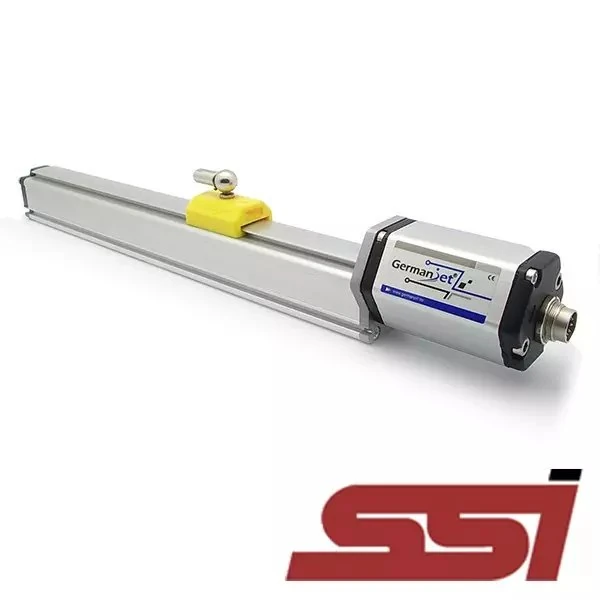
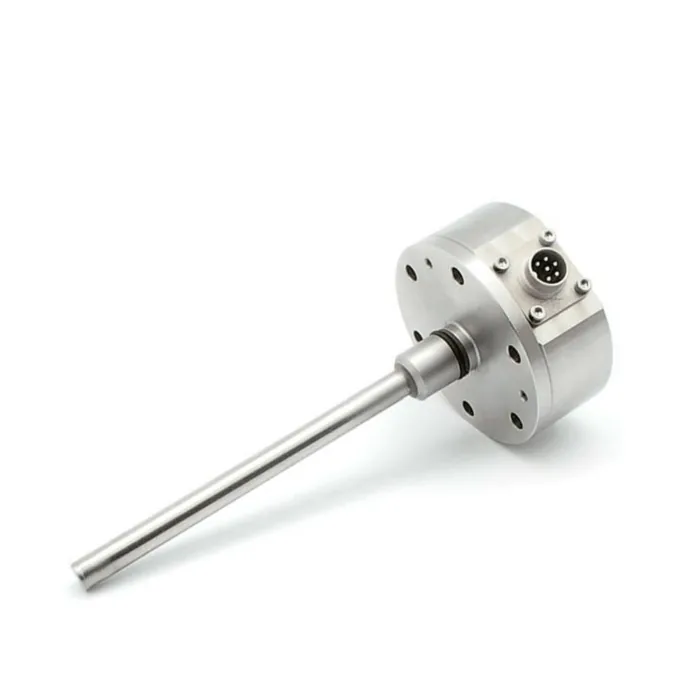


Whatever the question above, it comes back to the same device.magnetostrictive displacement sensorThe product range lists every series by stroke, mounting style and output interface, which is the quickest way into a selection.
← Back to News